
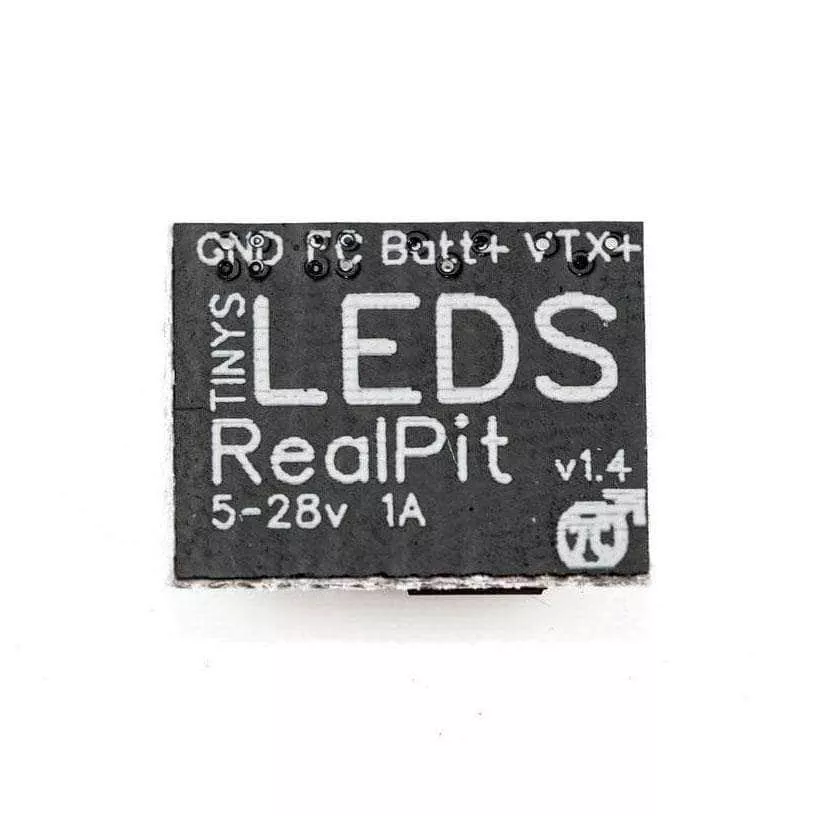
Plug in your VTx at any time with 0 power start-up!
Check out all our LEDs, and all our TinysLEDs products!
Features
- Plug in your VTx at any time with 0 power start-up
- (Not Available with FlightOne at current time)
- Turn off your VTx on the line to avoid heat buildup
- Fast Team Race Pit stops (Sub second transitions possible)
- Compatible with all major VTxs
- Turn off VTx during races to test hover builds without interfering with other pilots in the air.
- Turn off VTx after Crash for clean video for other racers.
- Solo Endurance Races, 3 quads ready on the line. Practice for more than 1 pack without taking off goggles. (Instructions on how to setup on OpenTX / Spektrum Coming soon)
- LED Indicator light on board. (Light On Power On)
- Can be used on any pad on Flight Controller.
- Does not need a full UART.
- I.E.: SmartAudio/Tramp on TX and RX for RealPit PinIO
- Up to 4 RealPits per quad. This opens the possibility for LEDs, and VTX, and any other device you can imagine.
- Toggle LED Power or any other devices under 1 amp draw.
Specifications
- Currently Supported Software:
- Betaflight (PinIO 3.3.x or Greater)
- Butterflight (PinIO)
- FlightOne 1.2.4 + (PINTOGGLE)
- Operating Voltage: 5V – 28V (HV-6s) 1Amp Switch
- Dimensions: 10 x 12.5 x 2.5 mm
- Weight: 0.5 Grams w/ Heatshrink
Includes
- 1x TinysLEDs RealPit VTX Power Switch
- 1x 1/2″ Heat shrink piece
Demo Video ( Team EMAX Team Race):
Setup
Betaflight Settings:
In CLI:
TypeRESOURCE
Locate UART TX/RX pad resource ID you are using. We wired to RX4 in this demo. RX4 is A01 Note the name of resource and ID.
Next we will clear that pad from its assigned resource.


 No products in the cart.